
- Overview
- Account guides
- How to check a document
- How to interpret a plagiarism report
- Grammar checker released to improve writing!
- Summary of levels of access
- Owner role overview: managing an account
- How to add users to your account
- Teacher role overview
- Student role overview
- Fingerprint: Advanced Tool for Authorship Verification
- Cómo utilizar un informe de plagio
- Cómo verificar un documento en busca de plagio
- How to Use PlagiarismCheck.org with Zapier
- How to use the template exclusion feature for LTI 1.3
- How to use the template exclusion feature in Moodle plugin
- Blackboard
- Brightspace
- Canvas
- Google Classroom
- Moodle
- Schoology
How to use the template exclusion feature for LTI 1.3
This guide walks instructors through creating an assignment with a reference template. Once students submit their work, it is checked for plagiarism and AI-generated content. Any text matching the instructor-provided template is automatically excluded from the overall plagiarism and AI detection percentages.
- Enable the PlagiarismCheck.org LTI 1.3 integration in your LMS.
- You can add templates when creating a new assignment or editing an existing one. To do this, open the assignment settings and go to the “Ignore templates” section.
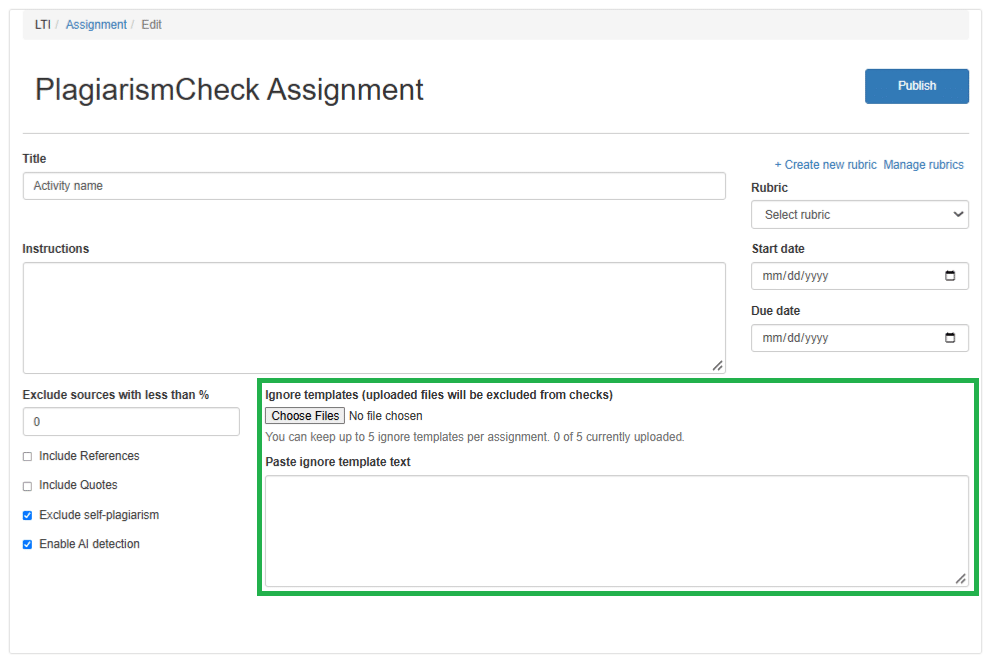
- Add a template by clicking the “Choose Files” button.
- You can also copy and paste a template as plain text into the “Paste ignore template text” field.
- Template-related restrictions:
- up to 5 templates per assignment;
- each template must contain at least 20 words;
- accepted file formats: .doc, .docx, .odt, .rtf, .txt, .pdf, .ppt, .pptx, .odp;
- users can either upload files or paste text, but they cannot do both in the same save action;
- a template is linked to the assignment to which it was uploaded and is not automatically copied when a new assignment is created.
- After you publish an assignment with a template, the “Uploaded ignore templates” section appears when you edit the assignment.
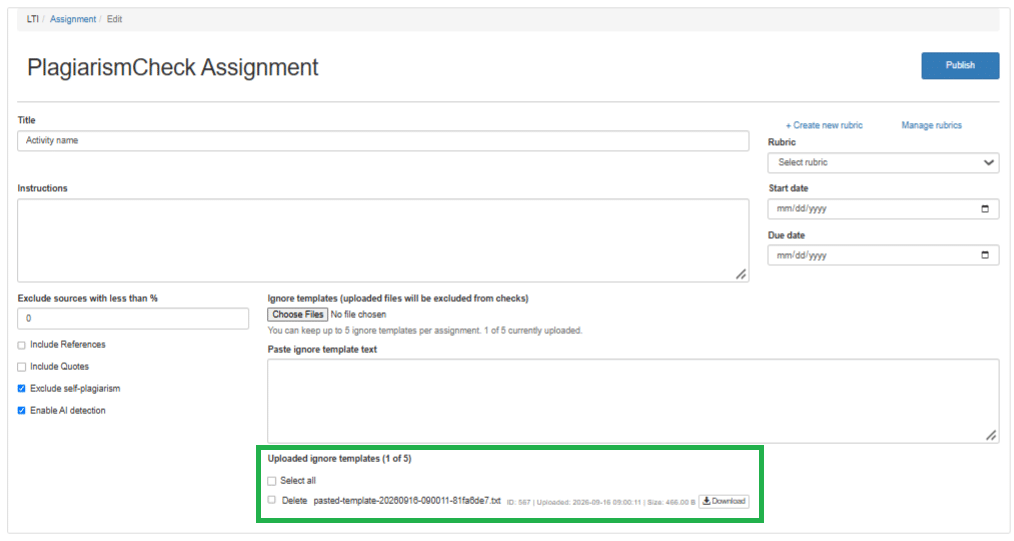
- To delete a template, select the checkbox next to the appropriate template and publish the assignment.
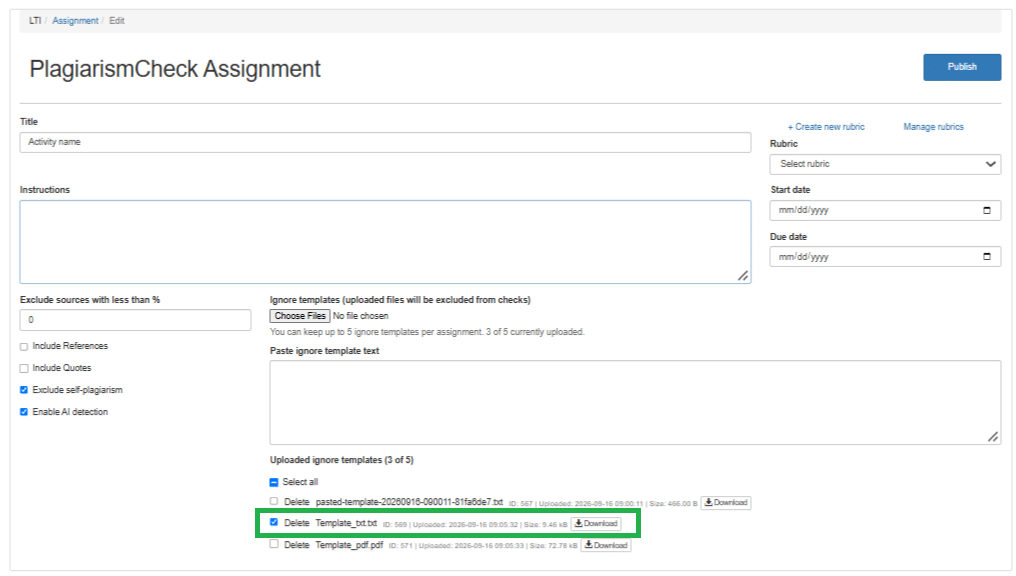 Please note: Changing the assignment templates will automatically trigger a new check of all submitted papers.